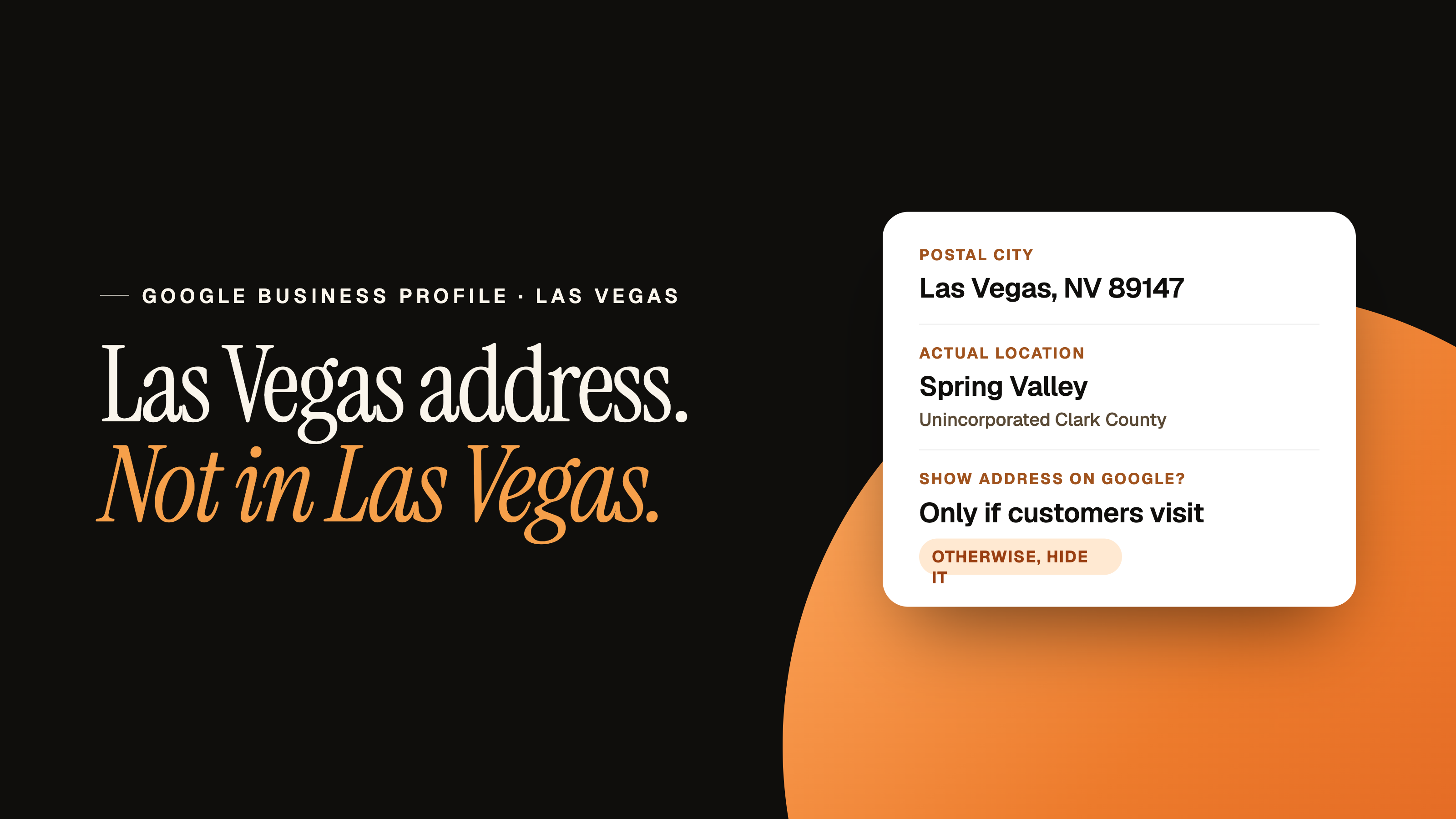
A business in Spring Valley, Paradise, or Enterprise can have a Las Vegas mailing address without being inside the City of Las Vegas. For Google Business Profile, use your real, eligible operating address rather than changing the city label to target a keyword. Whether you display that address depends on whether customers visit your location.
The decision comes down to two questions: which address accurately identifies your operating location, and can customers actually visit you there? Your service areas describe where you travel to customers, not additional business locations.
A Las Vegas mailing address is not a municipal boundary
Spring Valley, Paradise, and Enterprise are examples of unincorporated Clark County communities in Nevada, outside the City of Las Vegas. Clark County’s urban planning area map helps distinguish these areas from incorporated cities.
Keep three details separate:
- Postal city: The locality used in your mailing address.
- Physical location and jurisdiction: Where the property sits and which local government oversees it.
- Service area: The places your team travels to serve customers.
These can differ without making your public profile inaccurate. A Las Vegas postal label can be appropriate for a business physically located in Spring Valley. Check the complete street address, postal code, and map pin against official address records rather than assuming the city label alone identifies the location.
Business licensing, zoning, and property-use questions are separate from your Google listing. Confirm those with the relevant city or Clark County agency.
Choose the right Business Profile setup
Choose your setup based on how customers interact with your business: they visit you, you travel to them, or both. Follow Google’s business representation guidelines rather than selecting the setup you think will rank best. Google Business Profile setup and optimization should reflect the operation you actually run.
Storefront or customer-facing location: show an eligible address
Display your address when customers can visit a genuine business location that meets Google’s requirements. The location should have permanent on-site signage, be staffed by your business during its stated hours, and be able to receive customers.
Keep the address, phone number, website, hours, and map pin aligned with the actual operation. Clear signage and accurate contact details help customers recognize and reach the correct location. A mailing address alone does not establish a customer-facing location.
Service-area business: hide an address customers do not visit
If you travel to customers but do not receive them at your base, use a service-area business setup and hide the address from customers. Provide your real operating location when Google requests a verification address; hiding it publicly does not make a mailbox or invented location eligible.
List the places your team routinely serves. Under Google’s service-area guidance, you can specify up to 20 service areas using cities, postal codes, or other supported areas. Google advises that overall coverage generally remain within about two hours of driving time from your base.
Build a realistic coverage list around staffing, travel, and scheduling capacity. Selecting a service area does not create an office there or guarantee visibility throughout that area.
Hybrid business: show an eligible address and add service areas
A hybrid business receives customers at its location and also travels to customers. If your location meets Google’s customer-facing requirements, show its address and add genuine service areas.
For example, a business with a staffed shop and an installation team may fit this setup. A home-based business whose customers never visit does not become a hybrid business simply by accepting appointments for off-site work.
Review the address before changing it
Start by comparing your live profile with your official address records and website contact details. If the postal city is accurate, do not change it merely because your property falls within an unincorporated community.
Save a screenshot of the current address, map pin, visibility setting, and service areas. Then open Edit profile > Location and follow Google’s address-management instructions to correct inaccurate information.
Review address visibility separately from address accuracy. When reviewing the “Show business address to customers” setting, ask whether customers are actually received there. You may have the correct underlying address saved but still need to hide it from your public profile.
For easier troubleshooting, document one setting at a time rather than making unrelated changes together. Address changes can require verification again. Follow the instructions Google presents, and check Business Profile edit statuses before repeating a submitted change. If Google issues a verification request, review your verification status separately from whether the edit appears publicly.
Keep a dated record so you can distinguish your requested change from what customers currently see. If an issue remains unresolved, use Google Business Profile support to investigate rather than repeatedly submitting different versions of an accurate address.
Keep your website consistent without exposing a private address
Your contact page should make it clear whether customers can visit your location or whether you come to them. Use accurate contact details and geographic and service details that describe your real operation without implying an office in every neighborhood.
One useful Las Vegas Valley coverage page may be enough for a small operation. Separate area pages should offer location-specific information, such as actual project examples, available services, or scheduling details. Avoid nearly identical city pages that simply swap place names.
Apply the same accuracy to structured data, including any LocalBusiness subtype used on your website. Do not expose a private residential address in website code solely because Google holds it privately for your profile. Website markup does not verify a Business Profile or establish an eligible business location.
Avoid common address mistakes
Most address problems come from confusing where a business operates with where it wants customers. Review these points against Google’s address rules and business representation guidelines before making changes:
- Use a genuine operating location: A P.O. box, borrowed address, or false suite number is not a substitute. Do not use fake office addresses to suggest a local presence. A virtual office or coworking arrangement must meet Google’s applicable eligibility requirements, not merely provide an address.
- Avoid profiles created only for coverage: Generally, use one profile per eligible business location. Serving Paradise, Spring Valley, and Enterprise from one base is not a reason to create a profile for each community.
- Keep the business name factual: Do not add city names or service keywords unless they are genuinely part of the real-world name used consistently in your branding.
- Match visibility to customer access: Hide an address where customers are not received. Show it only when the location qualifies as customer-facing.
A practical accuracy checklist
Before editing your profile, work through these checks:
- Confirm the physical operating location and whether customers are actually received there.
- Compare the full address and postal locality with official address records, then check the map pin.
- Choose storefront, service-area, or hybrid settings based on actual customer interaction.
- Review your website footer, contact page, structured data, social profiles, and directories for conflicting public information or unintended disclosure of a private address.
- Limit service areas to places your team routinely serves and can support.
- Make sure coverage pages do not imply offices or customer access that do not exist.
- Save a dated record of any changes and check their status afterward.
Make this review part of ongoing Google Business Profile management when you move, change customer-facing hours, or expand or reduce coverage. There is no need to change an accurate address simply to make the city label sound more local.