
Search Console has always been a website tool. You verified a domain you owned, and Google showed you how that domain performed in search.
That changed this month.
Google rolled out a new property type called platform properties. It lets you verify your Instagram, TikTok, X, or YouTube account inside Search Console and see how those posts perform on Google Search, Discover, and Google News. The feature was announced on July 7, 2026 with a gradual rollout, and as of July 29 it’s available globally to everyone.
You do not need a website to use it. That’s the part worth sitting with. For the first time, Search Console will verify a property on a domain you don’t own.
What this actually gives you
Your social posts show up in Google. They always have. A TikTok surfaces in a short video carousel, an Instagram post lands in a “latest posts” module, a YouTube video ranks for a how-to query.
Until now you had no way to measure any of it.
Platform analytics tell you what happened inside the app. Google traffic gets grouped into a generic external bucket with no search terms attached. You could see that people arrived from Google. You could never see what they typed.
Google Analytics doesn’t help either, because you can’t tag a page you don’t host.
Rank trackers get you closest, but they give you an estimated position against a keyword list you picked in advance. That’s a guess about a subset of terms you already thought of. It isn’t your impressions, it isn’t your clicks, and it can’t show you the queries you never would have tracked.
Platform properties give you first-party Google data on content you post somewhere else. Impressions, clicks, click-through rate, average position, queries, countries, devices. The same reporting SEO teams have used for a decade, pointed at your social feed.
How to set it up
The setup takes about five minutes per account.
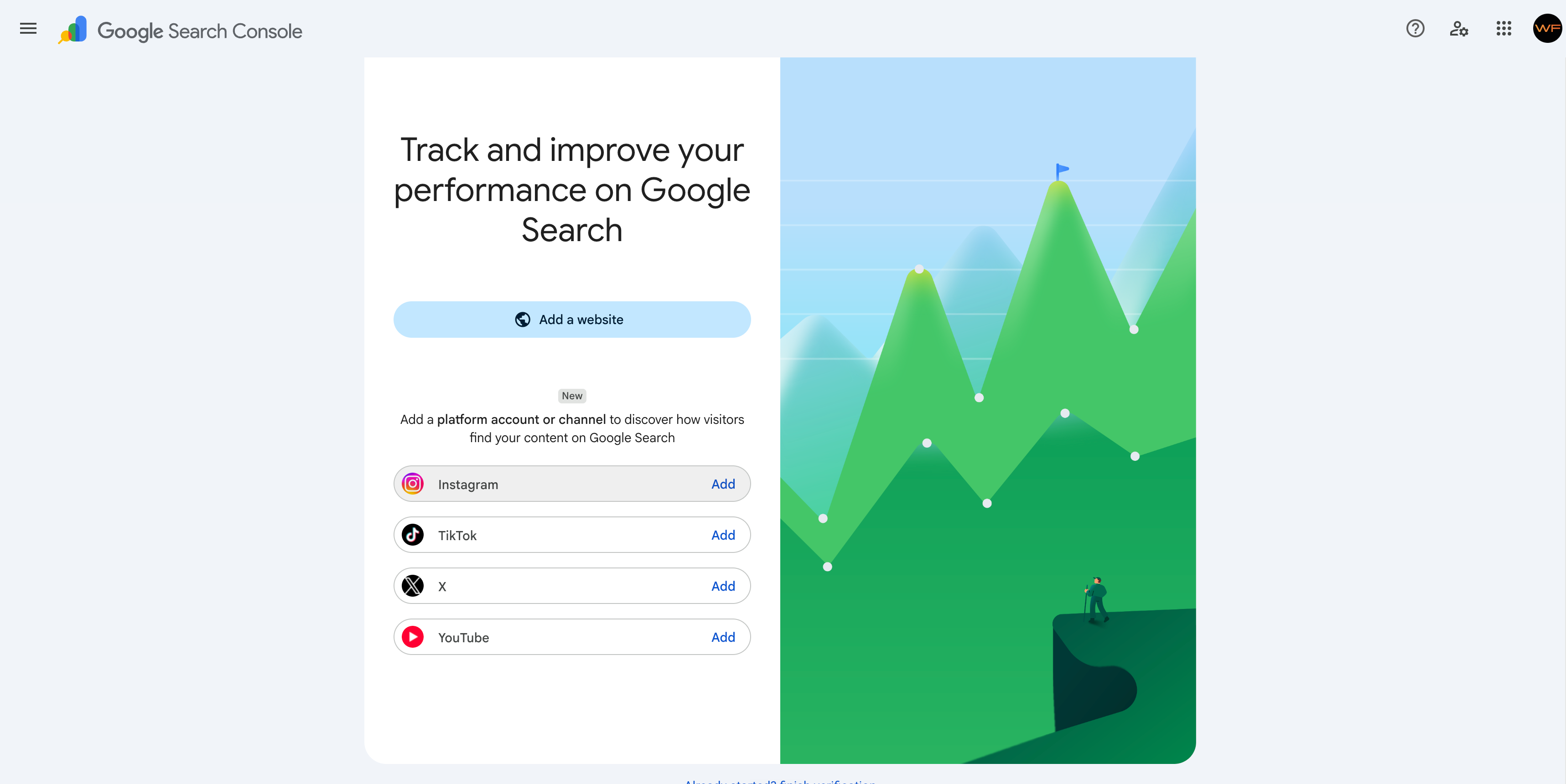
- Open Search Console.
- Go to the property selector or the verification page.
- Select Add property.
- Choose Instagram, TikTok, X, or YouTube.
- Follow the on-screen steps to authorize the connection.
Repeat for each account you want to track. Every account is added and verified as its own separate property, so a business running Instagram, TikTok, and YouTube ends up with three properties plus their website.
One shortcut worth knowing. If you’ve already claimed your Google Search profile, your verified accounts are added as properties automatically. Open Search Console and check the property selector before you add anything manually.
What to expect after connecting
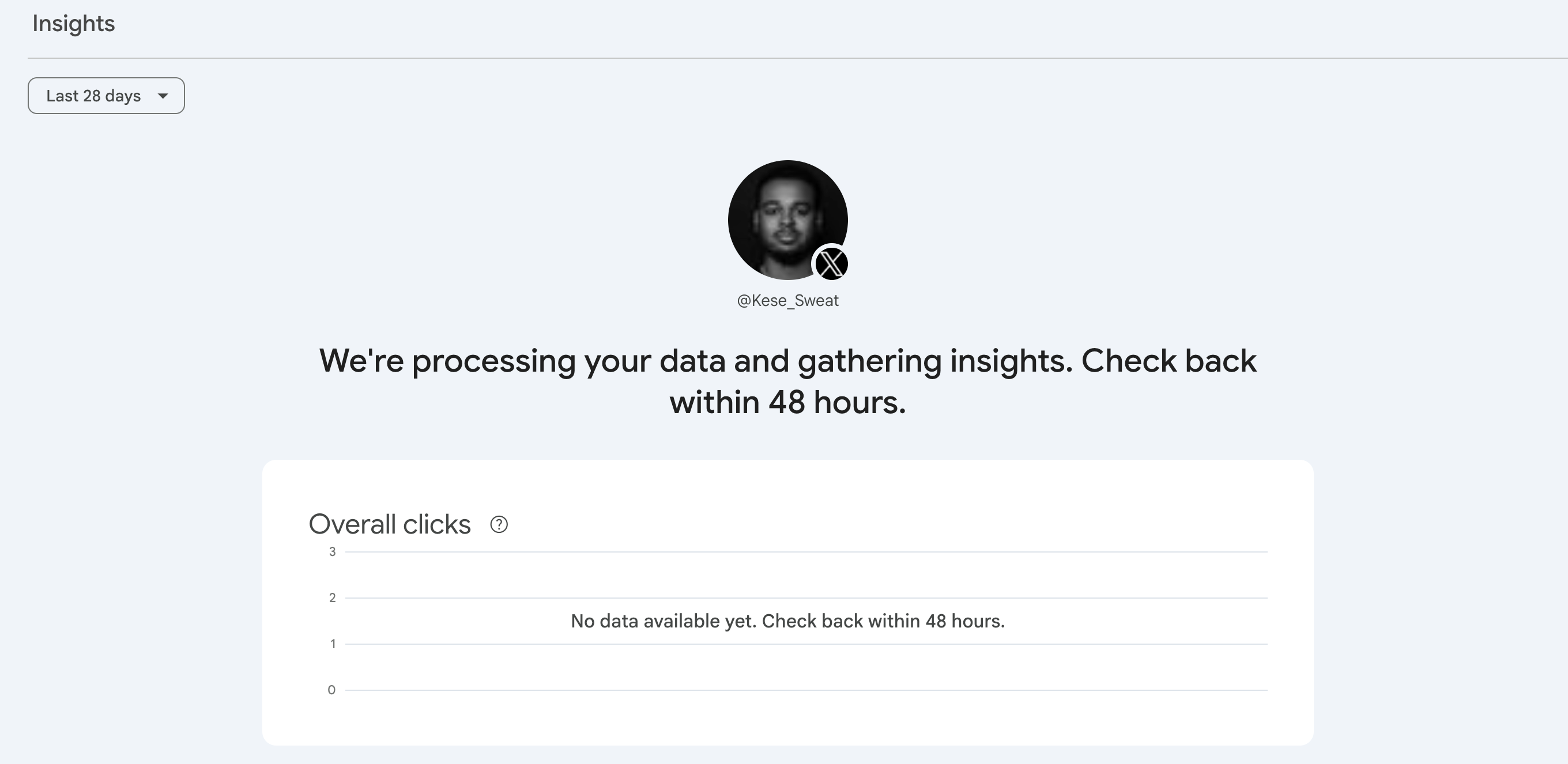
Search Console doesn’t show data immediately. When you first open Performance after connecting an account, you’ll see a message telling you to check back within 48 hours. That’s normal. It’s also why setting this up now matters — the baseline you collect from day one is the baseline you’ll have when you need to explain what worked.
What to look at once you’re in
Setup is the easy part. Most people will connect their accounts, glance at the dashboard, and never open it again. Here’s what actually earns the five minutes.
Your queries
Start here. This is the list of terms people searched on Google before landing on your post.
Not your hashtags. Not the phrase you use internally to describe what you do. What real people typed.
That list is almost never what a business owner expects, and it’s the single most useful thing in the report. It tells you the language your market actually uses, which then feeds your captions, your video titles, and the pages on your website.
Your formats
Search Console lets you compare groups of URLs, which means you can put your content types head to head.
On YouTube, compare URLs containing /watch against URLs containing /shorts/. That’s long form versus shorts.
On Instagram, compare URLs containing /p/ against URLs containing /reels/. That’s posts versus Reels.
One format is carrying your search visibility. It’s frequently not the one absorbing most of your production time.
Your older content
Look for impressions climbing on something you posted months ago. A seasonal shift, a news cycle, or a trend coming back around will pull old content back into search.
When you spot it, do something with it. Pin it to the top of your feed, reference it on another platform, or shoot a follow-up while the interest is live.
There’s also a 24-hour filter in the Performance report. If you posted something yesterday and it’s picking up search traffic today, you’ll see it there before the standard reporting catches up.
Your countries
Check where your search traffic is coming from. If a meaningful share is arriving from a country you never targeted, you found an audience by accident.
That’s either an opportunity or noise. You can’t decide which until you can see it.
Your changes
Search Console lets you add annotations, which are bookmarks on a specific date in your data. When you rewrite a YouTube title or a TikTok caption, annotate it. Then you can look back in a month and see whether the change moved anything.
Most people rewrite captions on instinct and never verify the result. This closes that loop.
Who should do this now
If you post for a business, set it up today.
Not because the feature is going anywhere, but because you want a baseline in place before your next campaign rather than after it. Data you start collecting now is data you’ll have when you need to explain what worked.
If you’re running social and SEO as two separate efforts, this is the thing that connects them. The queries pulling people into your Reels are the same queries that should shape the pages on your site. The pages already ranking tell you what to post about next.
Same audience. Two channels. One data set.
The bigger picture
Search Console adding a property type you don’t have to own a domain for is a real signal. Google is treating social and video content as part of the search ecosystem rather than something happening off to the side.
Practically, that means posting on instinct now has a ceiling. There’s a query report attached to social content, and the people who read it will make better decisions than the people who don’t.
Five minutes to set up. A monthly look at four things. That’s the whole commitment.