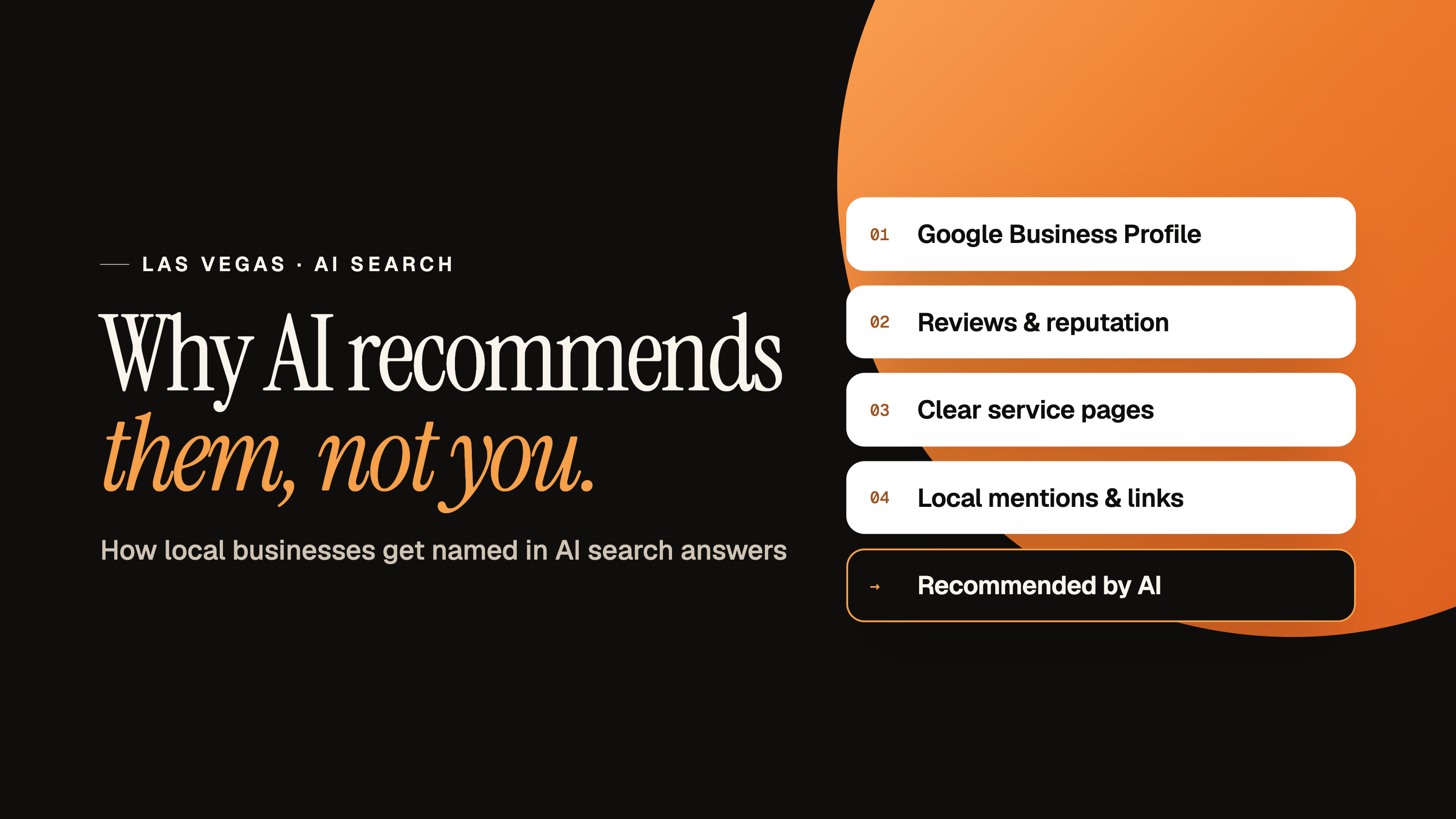
Your off-Strip business can have loyal regulars and still be missing when someone asks ChatGPT, Perplexity, Gemini, or Google AI Overviews for a recommendation. This guide explains how Las Vegas local businesses get recommended in AI search answers, why the tourist economy makes that harder here than in other cities, and what you can fix this week.
"Las Vegas" describes two things at once: a travel destination and a valley where 2.4 million people need haircuts, brake jobs, family dinners, and AC repair. AI tools don't always know which one you mean.
WFPulse is testing a working hypothesis: the sheer volume of visitor-focused content pulls some AI recommendations toward tourist choices, even when the person asking lives here. That's a pattern to investigate, not a proven explanation for every missing business.
The Short Answer: How Las Vegas Local Businesses Get Recommended in AI Search Answers
AI recommendations come from evidence the tool can find and cross-check. For local businesses in Las Vegas, that evidence needs to say clearly who you serve and where. Here's the short version:
- Publish pages that answer the questions residents actually ask, with real neighborhood and service-area details.
- Keep your name, address, phone number, hours, and business categories identical across your website, Google Business Profile, and major directories.
- Make sure AI crawlers can reach your site.
- Earn honest reviews and independent mentions that read like local experiences.
- Test the same set of prompts every month and track what changes.
The rest of this guide explains each step and why Las Vegas needs a slightly different approach than most cities.
Why "Best in Las Vegas" Usually Gets a Tourist Answer
"Best restaurant in Las Vegas" could mean a destination dinner on the Strip or a dependable neighborhood spot for a Tuesday night. Without more detail, the AI has to guess.
The same ambiguity shows up in other categories. A visitor looking for a salon near their hotel has different needs than a Centennial Hills resident choosing a stylist for standing appointments.
The Strip Isn't the Las Vegas Your Customers Live In
The Strip itself isn't in the City of Las Vegas. Most of it sits in unincorporated Paradise. A destination, a city boundary, a mailing address, and a service territory all get compressed into the same two words.
That's why precise location language helps. "An auto repair shop near Summerlin" and "a med spa serving Henderson residents" say a lot more than "the best in Vegas." Whether that detail changes a specific AI answer is something you should test.
Las Vegas Gets About 16 Visitors for Every Resident, and AI Reads That Web
The Las Vegas Convention and Visitors Authority reported about 38.5 million visitors in 2025. The Census Bureau's Vintage 2025 estimate put Clark County's population at 2,407,226.
That's roughly 16 annual visits per resident. It compares a yearly visitation total with a population estimate, so it isn't 16 unique people for each resident. But it explains why the web is packed with travel guides, hotel pages, destination lists, and visitor reviews about "Las Vegas."
Those numbers don't measure what an AI system reads or why it recommends a particular business. WFPulse's hypothesis is that this visitor-heavy information environment can tilt broad AI search answers. The useful question is local: does that pattern show up for your service, and does adding resident context change the results?
Broad Prompts Leave Too Much Room for Guessing
An off-Strip restaurant, a mobile mechanic, and a plumbing company face different versions of this problem. A plumber rarely competes with resort content. A brunch spot competes with dozens of Strip listicles. Test your own category instead of assuming.
How AI Search Answers Pick Local Businesses
You don't need to be technical to improve your AI visibility, but it helps to know roughly how these tools work. Think of AI search optimization as making your business easy to find, easy to verify, and easy to recommend.
They Search First, Then Write
Most AI search tools use a method called retrieval-augmented generation (RAG). The tool searches the web or its index, pulls back pages it thinks are relevant, then writes an answer based on what it retrieved. With retrieval-augmented generation, your business can only be recommended if the tool finds trustworthy pages that mention you for the right need.
Google AI Mode adds another layer called query fan-out. Google has said AI Mode breaks one question into several related searches and combines the results. A question about "a good mechanic for Summerlin residents" might trigger separate searches about mechanics, reviews, and the Summerlin area. Pages that clearly cover those angles have more chances to be pulled in.
ChatGPT, Perplexity, Claude, Microsoft Copilot, and Google Gemini each use their own sources and retrieval systems, so the same question can return different businesses on each one. That's normal. It's also why RAG matters for a small business: retrieval is the step you can influence.
They Look for Agreement Across the Web
AI tools tend to favor businesses whose details line up from source to source. Some marketers call this brand consensus or cross-web verification. When your website, Google Business Profile, directories, and reviews all describe the same business in the same place doing the same work, the tool can recommend you with more entity confidence.
Conflicting phone numbers, old addresses, or vague service descriptions do the opposite. They give the system a reason to choose trusted brands it can verify more easily.
Google's Local Factors Still Apply
Google says local search ranking is based mainly on relevance, distance, and prominence. Those same signals feed Google Maps and the Local Pack, and they show up in AI answers that pull from Google's local data. Relevance means your listing matches the search. Distance is how far you are from the searcher or the location they named. Prominence is how well known you are, based on things like reviews, links, and mentions.
Build Pages Around What Residents Actually Ask
Start with the questions customers ask before booking. Explain what you do, where you do it, how appointments work, and any limits that affect the decision.
"For locals" is only useful positioning when the page backs it up. A restaurant might explain weekday reservations and parking. A contractor might describe service-call scheduling and dispatch boundaries. A salon might answer questions about recurring appointments.
Use Neighborhood and Community Names With Real Context
Reference Summerlin, Henderson, Spring Valley, Centennial Hills, Enterprise, Paradise, or Summerlin South where it's accurate. These aren't interchangeable, and they don't all describe the same kind of jurisdiction.
Pair each location reference with information a customer can use:
- Where your shop is and how customers get there.
- Which communities get mobile or on-site service.
- Whether travel charges or scheduling limits apply.
- Which services are available at each location.
- Examples of local work you can honestly describe.
Good service pages and location pages explain something real about getting service in that area. Pages that swap one neighborhood name for another are thin pages, and they rarely help anyone.
Write FAQs That Make It Obvious You Serve Locals
Build FAQs around real inquiries: "Do you serve homes in Enterprise?" "Can Spring Valley customers book weekday appointments?" "Where do I park at your off-Strip restaurant?"
Answer with your real operating details. Don't add same-day service, discounts, or extended hours unless you actually offer them. Clear answers in plain sentences are easy for people to scan and easy for AI tools to quote.
Say Something Only You Can Say
Google's guidance for its AI features points to unique, non-commodity content: helpful, reliable, people-first content that offers more than what every competitor already says. For local businesses, that's easier than it sounds. You have a unique point of view nobody else has: your actual jobs, your neighborhood, your process.
Some examples:
- A pool company explaining how the Las Vegas summer changes its maintenance schedule.
- A restaurant describing which dishes regulars order on weeknights.
- A contractor showing before-and-after photos from a real Henderson job.
High-quality images and video help here too. Short video content, like a service walkthrough or a quick answer to a common question, gives people and AI tools more proof that you're real and local. Just make sure the essential information is also written on the page, not only inside the image or video.
Skip the Filler
Avoid obvious filler content, keyword stuffing, and mass-produced neighborhood pages. Google's spam policies call that last one scaled content abuse. A fast, mobile-friendly site with a good page experience and an obvious way to book matters more than another 500 words of fluff.
Make Sure the Web Agrees on Who You Are and Where You Work
Entity consistency means your website and profiles describe the same real business. Check your business name, address, phone number, hours, website link, business categories, and service territory everywhere they appear.
Start with your website and Google Business Profile, then review important directories and industry profiles. Descriptions can vary naturally, but the core facts shouldn't conflict.
Keep your office location separate from your service territory. An office with a Las Vegas address doesn't mean your team dispatches all over Henderson.
Your Address Says Las Vegas, but Are You Actually in Spring Valley?
Much of the valley is unincorporated Clark County, including Paradise, Spring Valley, Enterprise, and Summerlin South. Businesses in these communities use "Las Vegas, NV" mailing addresses.
Keep your mailing address accurate and consistent. Then explain your actual community in plain language, like "located in Spring Valley," when that's correct. Customers get a clearer picture, and you avoid treating the City of Las Vegas and the whole valley as the same place.
Pick the Right Business Categories
Business categories tell Google and other platforms what kind of business you are. Your primary category on Google Business Profile carries a lot of weight for relevance. Choose the most specific category that matches your main service, then add secondary categories only for services you actually provide.
Look Beyond Google
AI tools don't only read Google. Claim and update these listings too:
- Bing Places: Microsoft Copilot draws on Bing's data.
- Apple Business: controls how you appear in Apple Maps and Siri.
- Yelp, Better Business Bureau, MapQuest, and Facebook: widely used third-party profiles that AI tools can check.
- Industry platforms: OpenTable for restaurants, Angi for home services, Tripadvisor if you also serve visitors.
Each consistent third-party profile acts as one of your local citations, an independent listing of your business name, address, and phone number. Fix any duplicates or outdated listings you find.
Use LocalBusiness Schema to Back Up the Facts
LocalBusiness schema is a type of schema markup that describes your business in a machine-readable format. Use the right business type and accurate details, including your name, address, phone number, website, hours, and areaServed where it applies.
The markup should match what visitors can read on the page. It won't guarantee an AI recommendation or a higher local search ranking, and Google says its AI features don't require special schema. It just makes your facts easier to read.
Don't Accidentally Block the AI Crawlers
This one surprises a lot of owners. Your website has a file called robots.txt that tells crawlers which parts of the site they can visit. Some website builders, security plugins, and hosting settings block AI crawlers by default.
The main ones to know:
- OAI-SearchBot: OpenAI's crawler for ChatGPT search results. If it's blocked, OpenAI says your pages may not show up in ChatGPT search answers.
- GPTBot: OpenAI's crawler for training its models. Some owners block it for privacy reasons, and it's a separate decision from OAI-SearchBot.
- PerplexityBot: Perplexity's crawler for its search results.
- Googlebot: Google AI Overviews and AI Mode rely on normal Google indexing, so standard search access covers them.
Check your robots.txt file, then use Google Search Console to look for indexing problems. A page that can't be crawled or indexed can't be retrieved, and a page that can't be retrieved can't be recommended.
Earn Reviews and Mentions That Sound Like Locals
Your website explains your business from your side. Reviews and independent coverage add other people's accounts, and AI tools pay attention to both.
Reviews Should Read Like Real Resident Experiences
Ask for honest reviews after a finished visit or job, without telling people what to write. Useful details include communication, the service performed, repeat visits, or how the appointment went.
A customer might naturally mention an on-time Spring Valley plumbing repair or weekly dinners at a neighborhood spot. Let that context come from them. Don't coach people to add neighborhood keywords.
Three review signals matter:
- Review count: enough reviews to show a pattern, not just a handful.
- Review freshness: a steady stream of recent reviews, not a burst from three years ago.
- Review sentiment: what people actually praise or complain about.
Respond professionally to praise and criticism, and keep replies factual and private.
Don't Put Everything on One Platform
Spread your presence across the third-party review sites your customers actually use. A restaurant might focus on Google, Yelp, and OpenTable. A home service company might focus on Google, Angi, and the Better Business Bureau. Not every business needs every platform.
Look beyond reviews too. Local news, community groups, professional associations, and expert-curated best-of lists can all mention your business. Even unstructured citations, like a mention in a neighborhood blog or a local Reddit thread, help AI tools connect your name to your work. Social media activity won't make or break you, but an active profile gives one more source that confirms you're open and real.
Purchased reviews, fake mentions, and made-up testimonials mislead customers and can backfire. A smaller number of real, relevant mentions beats a pile of junk.
Test Your AI Visibility With the Same Local Prompts Every Month
A repeatable test beats checking your business name once. It's the only honest way to know whether your AI search optimization work is changing your AI recommendations. Build a fixed prompt set and run it monthly in ChatGPT, Perplexity, Gemini, Copilot, Claude, Google AI Overviews, and Google AI Mode.
Use prompts that sound like real customer questions. Don't name your business in the prompt, since that tests something different from discovery.
Separate Visitor Prompts From Resident Prompts
Try these seven prompt patterns, adapted to services you actually offer:
- "Best [service] in Las Vegas."
- "Best [service] for Las Vegas residents, away from the Strip."
- "Recommend [service] near Summerlin for regular appointments."
- "Where can Spring Valley residents find [service]?"
- "Which [service] providers serve homes in Enterprise?"
- "Recommend [service] near Henderson for [specific customer need]."
- "Compare neighborhood options for [service] in Centennial Hills."
Comparing prompt 1 against prompt 2 is the fastest way to see whether tourist intent is crowding you out.
Track Mentions and Citations Separately
In a spreadsheet or an AI visibility tracker, record the date, platform, exact prompt, businesses named, linked sources, and any wrong details about you. Note whether recommendations lean toward the Strip, other visitor areas, or resident neighborhoods.
A named business and a cited source are different things, so record both. Over time, your tracked mentions give you a business mention rate: the share of prompts where you show up. A local AI visibility tracker can automate this, but a spreadsheet works fine to start.
Use a logged-out or clean browser where you can, and note the location setting. Answers change with wording, timing, personalization, and platform updates. Google AI Overviews don't appear for every search either. Look for patterns across repeated tests, not one-off results.
Turn What You Find Into a Short Fix List
Look at the competitors that get recommended. Do they explain their location, service area, appointment process, and who they serve more clearly than you? Check which sources the AI cited for them, not just their review totals.
Fix factual conflicts first. Then answer the most important customer question your site leaves open. Retest after changes, and remember that a changed answer doesn't prove which edit caused it.
Measure Leads, Not Just Mentions
Showing up in AI recommendations is only worth it if it brings more leads from the customers you actually serve. Track calls, bookings, direction requests, and form submissions in Google Business Profile and your analytics. Ask new customers how they found you, and add "ChatGPT" or "an AI tool" as an option on your intake form.
A tourist-focused mention may look good in a report but do nothing for a resident-focused business. Showing up isn't the same as being the right fit.